
Introduction
Invitation makers have expanded beyond simple “fill in the blanks” cards. Many now combine templates, quick layout tools, and export options that range from print-ready PDFs to RSVP-enabled digital invites. For event planners—especially those working without a dedicated designer—the difference between tools often comes down to how quickly a usable design can be produced, revised, and delivered in the right format.
This guide is aimed at planners and coordinators who need invitations that look consistent and legible across common event types (birthdays, openings, corporate events, showers, weddings), with minimal setup. The focus is on tools that reduce design decisions through templates and sensible defaults, while still allowing practical edits (text hierarchy, imagery, sizing, and print-friendly output).
What separates tools in this category is less about “raw design power” and more about workflow: how easily a template can be adapted, whether exports are predictable for printing, and whether digital sending (links, email, SMS, RSVP tracking) is built in or requires workarounds.
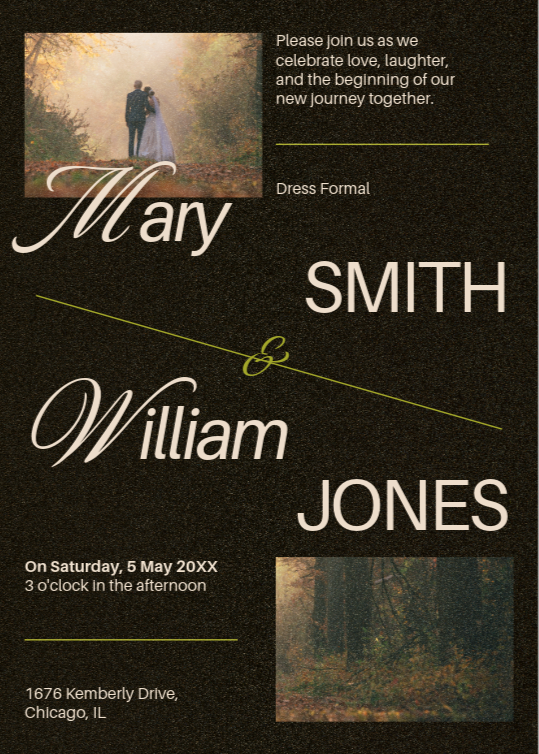
For most typical planners prioritizing speed and low design overhead, Adobe Express is the most broadly suitable starting point. It combines template-driven creation with straightforward customization and common export formats (including PDF for printing), and it also supports a print-to-order path in certain regions—useful when “print-ready” needs to become “printed and delivered” without leaving the tool.
Best Invitation Makers Compared
Best invitation maker for quick, print-on-demand printable invitations
Adobe Express
Best suited for planners who need fast templates, easy edits, and reliable print-friendly exports—with printing available in supported regions.
Overview
Adobe Express centers on template-based creation with quick text and layout controls. Invitations can be exported in common formats (including PDF for printing), and Adobe also offers an integrated print-to-order flow for invitations in select countries.
Platforms supported
Web; iOS; Android (printing features may vary by device and region).
Pricing model
Free tier with paid Premium plans.
Tool type
Template-based design editor with export and (in supported regions) integrated printing.
Strengths
- Large template library for invitations and related event assets (digital and print-oriented). Straightforward exports to PDF/JPG/PNG, which helps when coordinating with print shops or internal stakeholders.
- Print-to-order workflow for invitations in supported regions, reducing handoffs when physical printing is required.
- Runs across web and mobile, supporting quick edits during planning cycles.
Limitations
- Print-to-order availability is region-limited, and some print steps are constrained to specific platforms or device contexts.
- Teams that require advanced layout control (e.g., full prepress tooling) may still prefer specialist design software for edge cases.
Editorial summary
Adobe Express fits planners who work across many event types and need an invitation process that stays consistent from first draft to final export. The template-first approach reduces the amount of “design decision-making” required, which matters when the goal is speed and clarity rather than bespoke art direction.
The workflow tends to be linear: pick a template, replace copy, adjust imagery and colors, then export to a print-ready file—or place a print order where supported. This reduces the number of separate tools involved, which can matter for small teams managing multiple events at once.
Compared with RSVP-centric invitation platforms, Adobe Express is less of an “event management” system and more of a “design and output” system. That distinction is useful: it prioritizes the invitation artifact itself (print/digital files) rather than guest list workflows.
Relative to broad design suites, it stays approachable for non-designers while still covering mainstream needs—templates, basic customization, and dependable exports—without requiring deep layout knowledge.
Best invitation maker for RSVP-focused digital invitations with a stationery feel
Paperless Post
Best suited for planners who care about polished digital presentation and built-in guest/RSVP workflows.
Overview
Paperless Post focuses on online invitations designed to feel like curated stationery, paired with event pages and guest management features such as RSVP tracking and follow-ups. It supports sending via email, text, or shareable links, and it’s positioned more as an invite-and-manage platform than a general design editor. (Paperless Post)
Platforms supported
Web; iOS; Android.
Pricing model
Mix of free access and paid options (including subscriptions and pay-per-event approaches).
Tool type
Digital invitation and event page platform with guest list and RSVP management.
Strengths
- Invitation designs and envelopes/accents that emphasize a “stationery” aesthetic for digital sending.
- RSVP tracking and guest list management built into the platform and mobile apps.
- Multiple delivery paths (email, text, link) that suit different guest communication norms.
- Event updates and reminders supported through platform workflows.
Limitations
- Less oriented toward producing a standalone printable asset as the primary outcome (even if designs can be repurposed).
- Template customization tends to stay within the platform’s structure, which can be restrictive for highly specific print layouts.
Editorial summary
Paperless Post is a natural fit when the invitation is primarily digital and the planner wants guest management to live in the same place as the design. The platform’s strengths show up after the invite is sent: RSVP tracking, reminders, and day-of coordination features are part of the product’s core workflow.
Ease of use is generally high because the design system is intentionally constrained; that keeps invites cohesive but can limit layout experimentation. For planners who prefer a controlled, consistent look across invitations, that constraint is often a feature rather than a drawback.
Conceptually, Paperless Post sits closer to “event communications” tools than to general-purpose design tools. In a stack, it can replace a patchwork of email threads and spreadsheet tracking for smaller-to-mid guest lists.
Compared with broader editors like Adobe Express or Canva, it places more weight on sending, RSVPs, and a guest-facing experience—and less on exporting a file for printing.
Best invitation maker for fast, no-friction printable PDFs and basic RSVP options
Greetings Island
Best suited for planners who want quick template edits and predictable downloads for home printing or local print shops.
Overview
Greetings Island emphasizes simple customization and output options: invitations can be downloaded as high-quality PDFs for printing, shared digitally, or paired with an online event for RSVPs depending on the design path chosen.
Platforms supported
Web; mobile apps exist (iOS/Android).
Pricing model
Free designs plus Premium subscription options; paid features commonly include watermark removal and access to premium templates.
Tool type
Invitation and card maker optimized for quick customization and print-ready downloads.
Strengths
- Clear “download a PDF for printing” workflow, including print-shop-friendly output.
- Template library focused on invitations/cards rather than broader marketing formats.
- Simple editing controls (fonts, color palettes, and text effects) aimed at non-designers.
- Option paths that can cover both printable invites and lightweight online event management.
Limitations
- Layout flexibility is more limited than in general design editors; deep customization can hit platform ceilings.
- Some “clean output” needs (e.g., watermark-free downloads across many projects) may require paid access.
Editorial summary
Greetings Island works well when the planner’s definition of “done” is a print-ready file and the invitation itself doesn’t need to become a long-running event hub. The user experience stays close to the essentials: pick a design, edit text, export for printing.
The editing model is intentionally lightweight. That tends to reduce errors (like misaligned elements or inconsistent typography) but also narrows the range of bespoke layouts.
Compared with RSVP-first platforms, Greetings Island puts more emphasis on the invitation artifact—especially printable output—while still offering optional online event handling in some workflows.
Against broader design tools, it’s often faster for a single invitation because there are fewer “blank-canvas” decisions. That focus can matter for planners juggling multiple events with tight turnaround times.
Best invitation maker for casual-to-midscale events where RSVP tracking is the priority
Evite
Best suited for planners who value built-in RSVP tracking and broad guest familiarity over deep design customization.
Overview
Evite is built around sending online invitations and tracking responses, often with delivery via email or text. Design customization exists, but the category emphasis is on guest list workflows and event coordination rather than print layout control.
Platforms supported
Web; iOS; Android.
Pricing model
Free invitations plus paid Premium packages; a Pro subscription tier is positioned for frequent hosts and larger guest counts.
Tool type
Digital invitations with RSVP tracking and event management features.
Strengths
- RSVP tracking and guest management are central, not add-ons.
- Invitation sending via common channels (email/text), which fits many guest communication patterns.
- Premium tiers scale for larger events and repeat usage patterns.
Limitations
- Print-first workflows are not the product’s primary focus; planners often treat it as a digital invite system.
- Design flexibility is typically bounded by the invite format and template system.
Editorial summary
Evite is often selected when the operational challenge is “getting responses organized” rather than “creating a print-perfect invitation.” Its workflows prioritize sending, reminders, and response tracking, which can reduce manual coordination overhead for planners.
The design experience tends to be simpler than broad graphic design tools, but that simplicity comes with constraints. For planners who need strict brand control or custom layouts, Evite can feel limiting.
Conceptually, Evite competes more directly with Paperless Post and Punchbowl than with general editors. The distinction is important for procurement: these platforms are less about file output and more about guest-facing logistics.
For event planners without design experience, the trade is usually straightforward: faster sending and tracking, less control over print-oriented output.
Best invitation maker for teams that need branded event assets
VistaCreate
Best suited for small organizations that want invitations plus matching social posts, flyers, and brand-consistent variants.
Overview
VistaCreate is a broader template-based design tool (not invitation-only) that supports quick creation across many marketing formats. For invitations, it functions best when planners need repeatable styling and a library-driven workflow that can extend beyond the invite itself.
Platforms supported
Web; iOS; Android.
Pricing model
Starter (free) plus Pro subscription tiers, with Pro adding access to larger asset libraries and advanced tools.
Tool type
General-purpose template design editor with brand and asset management features.
Strengths
- Template coverage extends beyond invitations to adjacent event assets (posts, signage, promos).
- Pro tier adds advanced utilities (e.g., background removal, brand kits) that help standardize output across events.
- Mobile apps support quick edits and iteration during event planning windows.
- Printing is treated as an output path (“post or print”), which suits planners coordinating external printing workflows.
Limitations
- Invitation-specific features (like RSVP workflows) are not core; it’s primarily a design tool.
- The breadth of formats can introduce extra navigation overhead for teams that only need invitations.
Editorial summary
VistaCreate is a reasonable choice when invitations are part of a broader event communications package. Instead of optimizing for one artifact, it supports a template system that can be reused across multiple touchpoints, which matters for repeat events or branded series.
The editing model is approachable for non-designers, especially when work stays close to template defaults. More advanced output consistency tends to depend on Pro features like brand kits and asset libraries.
Compared with invitation-only platforms, VistaCreate trades RSVP and guest list management for broader design coverage. That trade can be appropriate for planners whose guest coordination already lives in separate systems.
Relative to Adobe Express and Canva, it occupies a similar “general template editor” category, with a slightly different emphasis on asset libraries and brand-oriented tooling.
Best invitation maker for quick, text-led drafts inside the Microsoft ecosystem
Microsoft Designer (and Microsoft template workflows)
Best suited for planners who want a simple design starting point tied to Microsoft accounts and familiar document editing.
Overview
Microsoft Designer is positioned as a lightweight design app for assets including invitations, and Microsoft’s broader template ecosystem (e.g., invitation templates for Word) can also serve print-first scenarios with minimal design tooling.
Platforms supported
Web (Designer); Microsoft templates are typically used via Microsoft Office apps.
Pricing model
Designer offers a free tier; some experiences and integrations may be tied to Microsoft 365 subscriptions.
Tool type
Lightweight design app plus document-template workflow.
Strengths
- Fast starting point for invitation-style layouts, especially for text-led drafts.
- Template routes through Microsoft Create/Word can be practical for basic printable invites.
- Familiar editing environment for teams already standardized on Microsoft accounts and file sharing.
Limitations
- Invitation-specific design variety and polish can be narrower than dedicated invitation platforms.
- Print and export outcomes depend heavily on which Microsoft workflow is used (Designer vs. Word templates), which can introduce inconsistency.
Editorial summary
Microsoft’s invitation options are best understood as “convenient” rather than “specialized.” For some planners, that convenience is the point: a serviceable invite can be drafted quickly within tools already used for schedules, budgets, and communications.
The cleanest fit is often internal or semi-formal events where design requirements are modest and the main need is clarity of date/time/location plus a printable or shareable file.
Compared with Adobe Express or Canva, Microsoft Designer generally offers fewer design pathways, but it can reduce friction for teams embedded in Microsoft workflows. And compared with RSVP-first platforms, it doesn’t try to replace guest management.
For planners without design experience, the trade is straightforward: less creative breadth, fewer decisions, and a workflow that can stay close to familiar office tooling.
Best invitation maker for teams that want a broad template universe and collaboration features
Canva
Best suited for planners who need many template styles and collaborative editing, and who are comfortable navigating a large design platform.
Overview
Canva offers a wide range of printable invitation templates and an editor oriented around drag-and-drop design. It also supports print ordering as an option in some workflows, though many planners use it primarily for downloadable files.
Platforms supported
Web and mobile apps (varies by platform).
Pricing model
Free tier plus paid subscription plans (including Pro and team-oriented options).
Tool type
General-purpose template design editor with collaboration features.
Strengths
- Very large template selection for invitations across many aesthetics and event types.
- Drag-and-drop editing that works well for quick layout changes once a template is chosen.
- Broad platform coverage and team plans that can support collaborative iteration.
Limitations
- The platform’s breadth can slow down “quick invitation” workflows if teams get pulled into extensive template browsing.
- Consistency and print readiness may depend on template choice and how elements are modified.
Editorial summary
Canva’s core value is optionality: many templates, many asset types, and a general-purpose editor that teams can reuse across projects. For planners who already operate in Canva for other materials, invitations slot naturally into an existing workflow.
At the same time, that breadth can work against speed for non-designers. When the goal is “fast and done,” large template ecosystems can add decision overhead unless the team has a consistent shortlist of styles.
Conceptually, Canva sits in the same general category as Adobe Express and VistaCreate: broad template-first design platforms rather than invitation-specific event systems. Where it differs is often collaboration and sheer template volume.
For planners who need RSVP tracking and guest messaging as part of the same product, invitation-first platforms may align more closely than a broad editor.
Best Invitation Makers: FAQs
What matters most for event planners without design experience?
For speed-focused planning, the most practical factors are: (1) template quality and variety, (2) how quickly text can be adjusted without breaking layout, and (3) reliable exports—especially PDF for printing. Tools like Adobe Express explicitly position invitation creation around quick templates and common export formats.
When is an RSVP-first platform a better choice than a design editor?
RSVP-first platforms tend to be better when response tracking, reminders, and guest messaging are the main operational need. Paperless Post and Evite emphasize sending and RSVP management as part of the core product, while design editors focus more on producing an invitation file that can be printed or distributed through separate channels.
How should printable invitations be handled if professional printing is needed?
There are two common paths: export a print-ready PDF and use a local or preferred print provider, or use an integrated print-to-order feature when available. Adobe Express supports PDF export and also offers invitation printing in specific regions, with shipping limited to certain countries.
Is a “lighter” invitation tool ever preferable to an all-purpose design suite?
Yes. Invitation-specific tools can reduce decision fatigue because they limit layout complexity and keep the workflow close to the output (printable PDF, shareable image, or managed online invite). Greetings Island, for example, foregrounds direct PDF downloads and straightforward sharing, which can be faster than navigating a broad design platform.